Written by:
Adriana Biarnes
Published on:
SaaS UX Design
Product Design
Feature Scaling
AI Product
Accessibility
award recognised · ecology
CLIENT
UXIA
PRODUCT
AI-powered user testing SaaS
AUDIENCE
Product Managers & Product Designers
STAGE
Post-MVP expansion
DURATION
10-day sprint
MY ROLE
Product Designer
Challenge
UXIA is an AI-powered user testing platform that helps product teams validate their designs using AI-generated personas. By the time they came to me, the product was working: users could create tests, run them, and get results.
But the team was at a turning point. They needed to ship a new test type Accessibility Testing without making the product feel patched together.
The real risk wasn't technical. It was structural: every time you add a feature without thinking about the system, you make the whole product harder to use. And for a SaaS that sells itself on simplicity, that's a serious problem.
The existing flow had no clear mental model, test types weren't well differentiated, and configuration screens were heavy. Adding Accessibility Testing on top of that, without fixing the foundation first, would have made things worse.
Approach
The tempting shortcut was to build Accessibility Testing as a separate, isolated module. Faster to ship. But it would have created two disconnected experiences inside the same product.
Instead, I fixed the architecture first, then integrated the new feature into it.
The test creation flow was restructured into a clear step-by-step model: Select → Configure → Review → Run → Results
That way, users always know where they are and what comes next. Accessibility Testing was then embedded into that same system, using the same components and the same logic. It feels native, not bolted on.
Configuration screens were cleaned up: better visual hierarchy, grouped settings, progressive disclosure so users only see what's relevant at each step. The results page was designed so a PM can get the key takeaway in 10 seconds and a designer can go deeper when needed.
Solution
A complete, production-ready redesign of the test creation system with Accessibility Testing fully integrated.
What shipped:
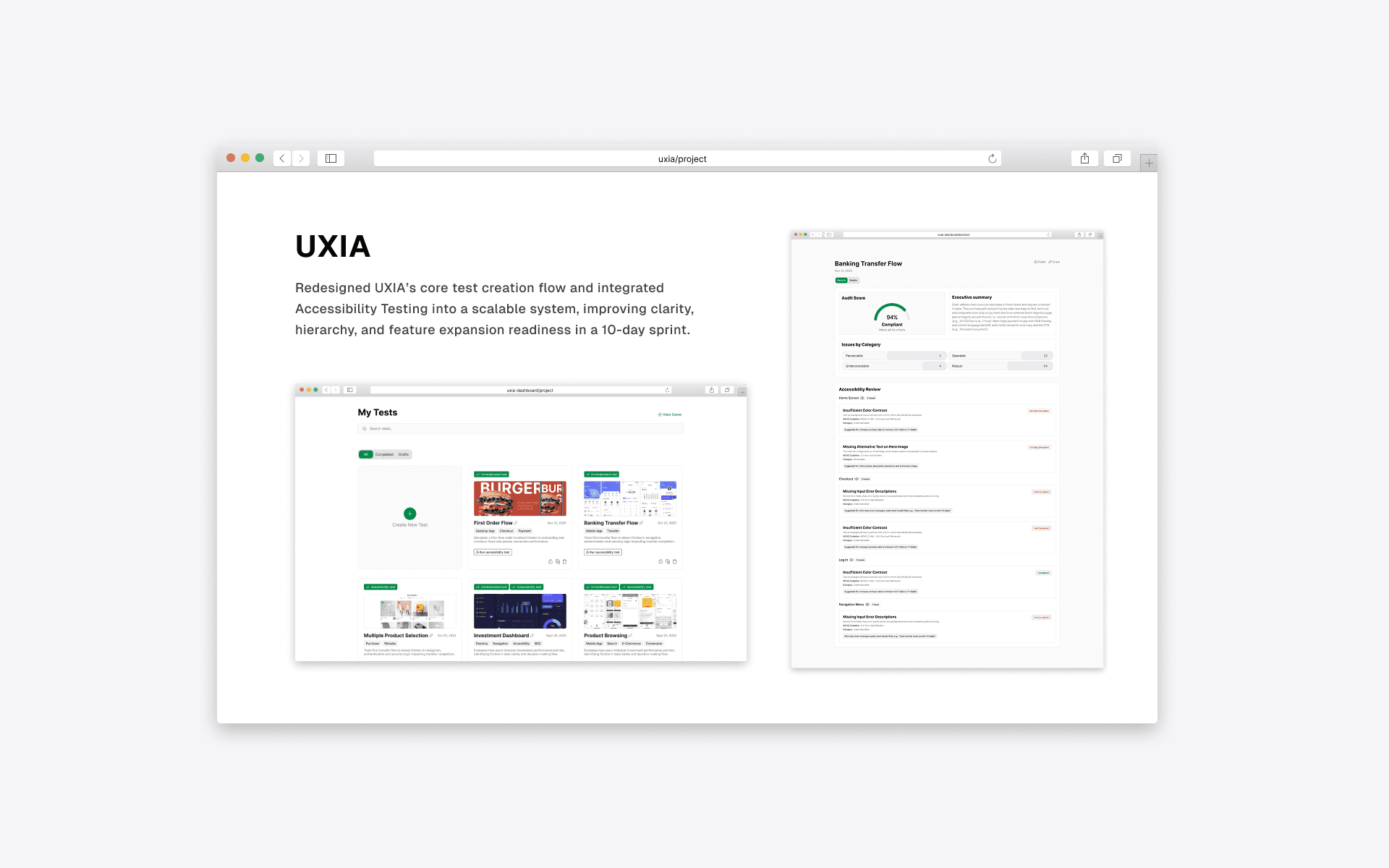
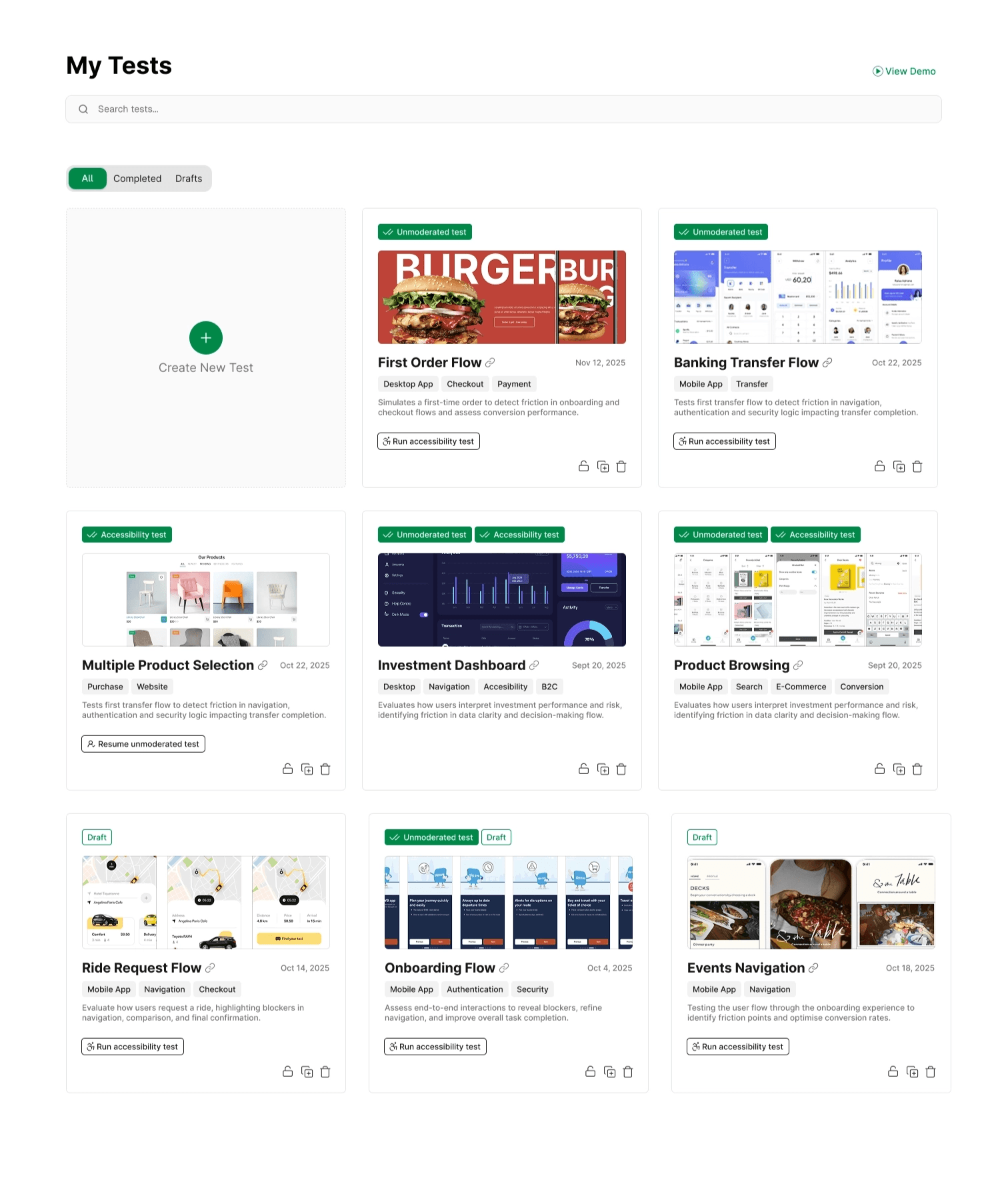
A centralized dashboard where users can see all tests, filter by status, and take core actions directly from the card, no unnecessary navigation.
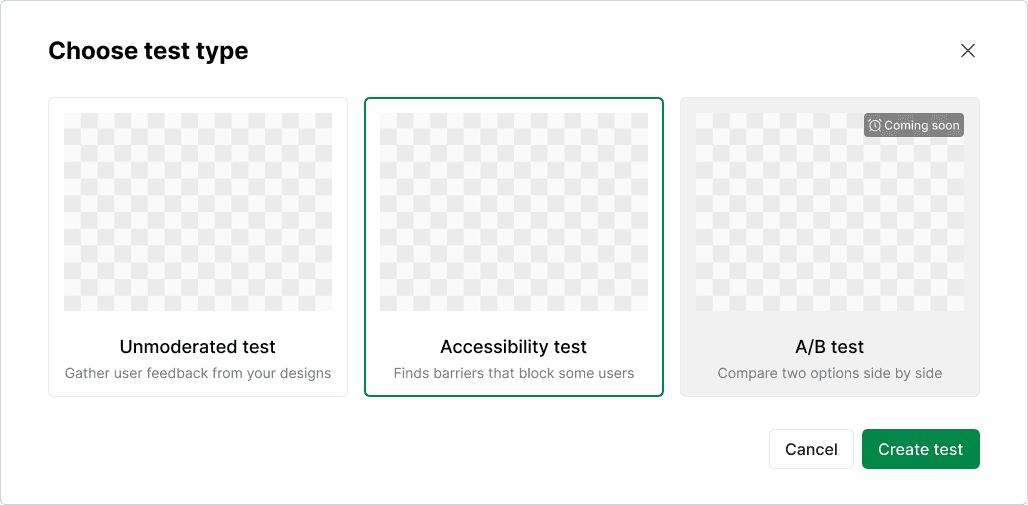
A guided test creation flow starting with a clear type selection step. Each option is visually distinct with a plain-language description. Upcoming features are visible but marked, so users understand what's available now vs. what's coming.
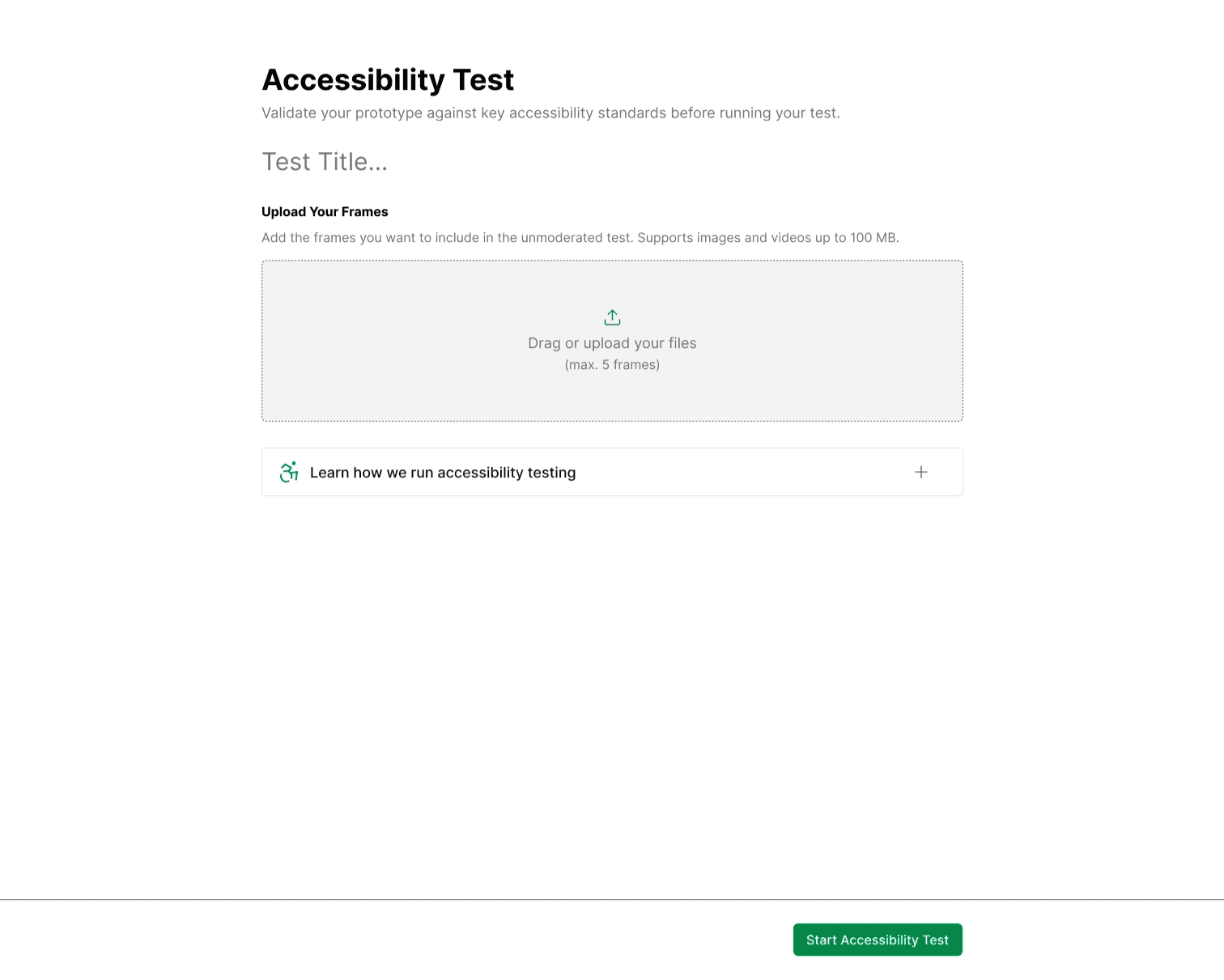
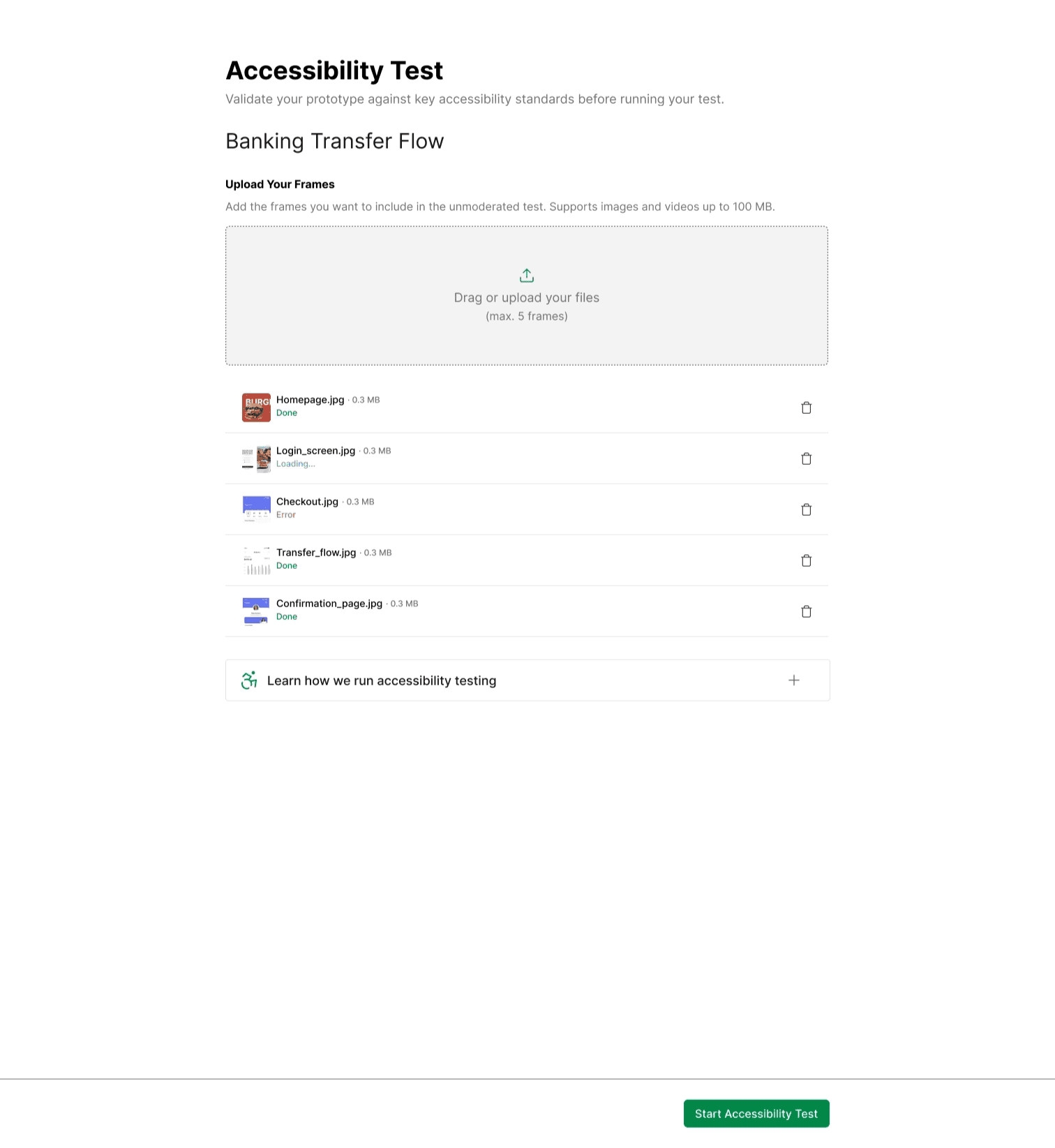
A focused Accessibility Test configuration screen; minimal, directive, with drag-and-drop frame upload and an expandable educational section for users new to accessibility testing.
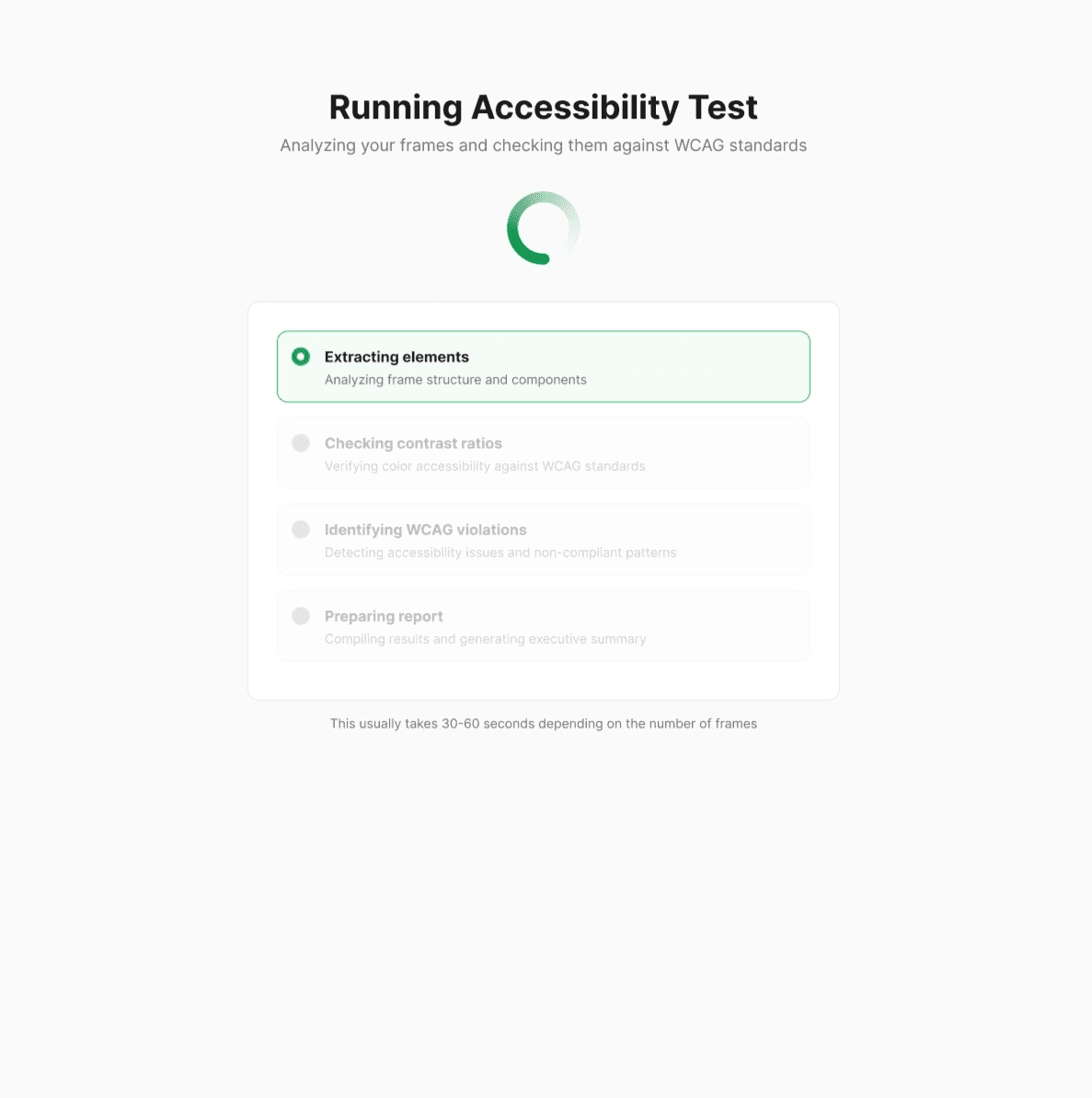
A transparent progress indicator during test execution. Not a spinner, but a live breakdown of what the system is doing at each stage.
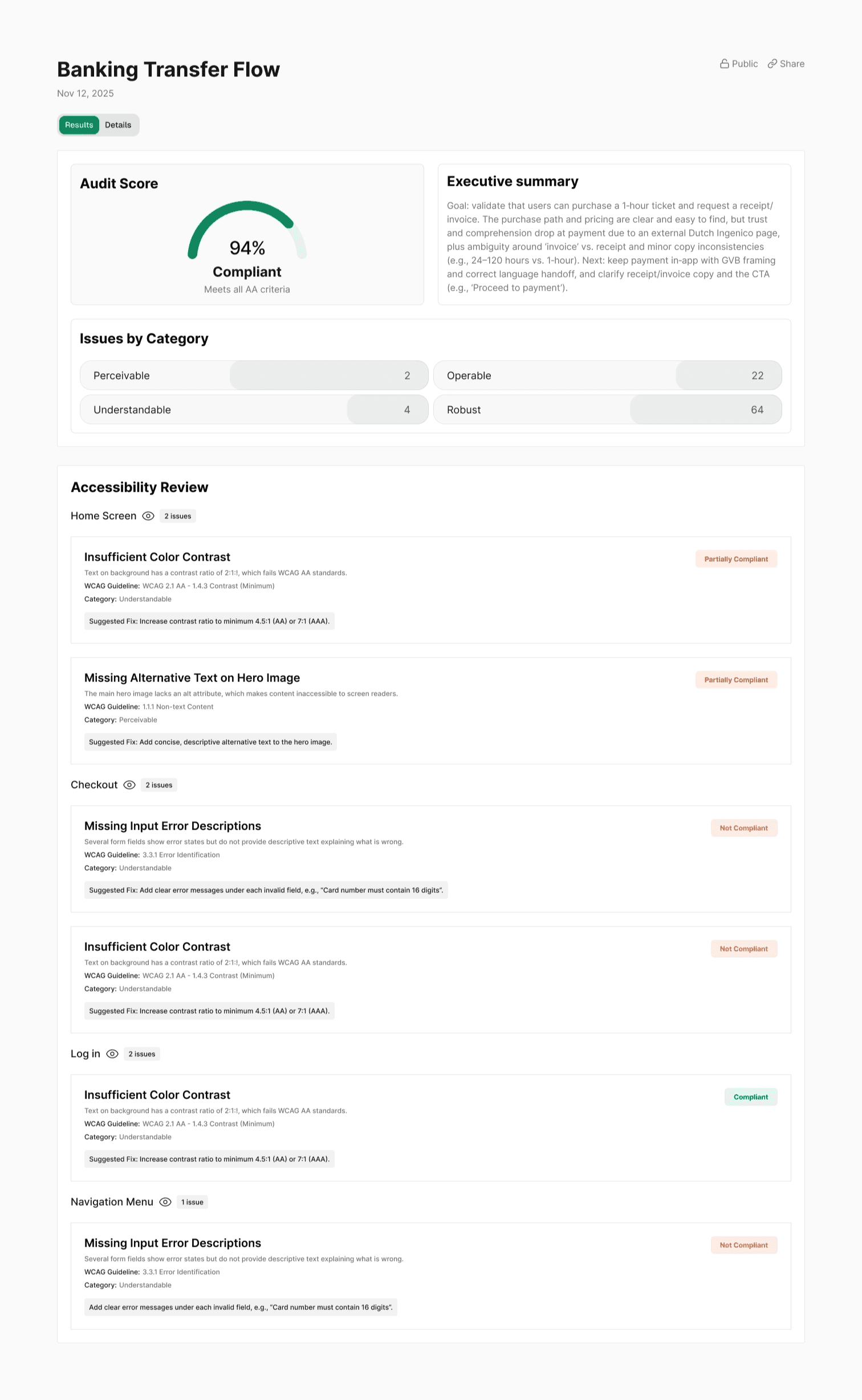
A structured results page with an audit score, executive summary, issues grouped by category and screen, severity badges, WCAG references, and suggested fixes per issue.
Full dev documentation delivered for handoff.
 | |
|---|---|
 | |
 |
Results
Delivered in a 10-day sprint:
Accessibility Testing shipped as a native feature, not a workaround
Core product flow became more structured and easier to navigate
New feature integrated without creating a fragmented experience or structural debt
Product moved from functional MVP to a more mature, scalable SaaS
Founder confirmed increased confidence in the product's direction and readiness
Simplified complex flows, integrated a new feature without fragmenting the system, delivered production-ready work in 10 days.